Recurring refreshes keep property data and valuations current across your entire book automatically — no manual ordering required. Enable them once and NoteLedger runs a refresh on every active property (including collateral) on the cadence you choose.
Open Automations
Click your email in the top-right account menu, then select Automations. This opens the Automations Console.
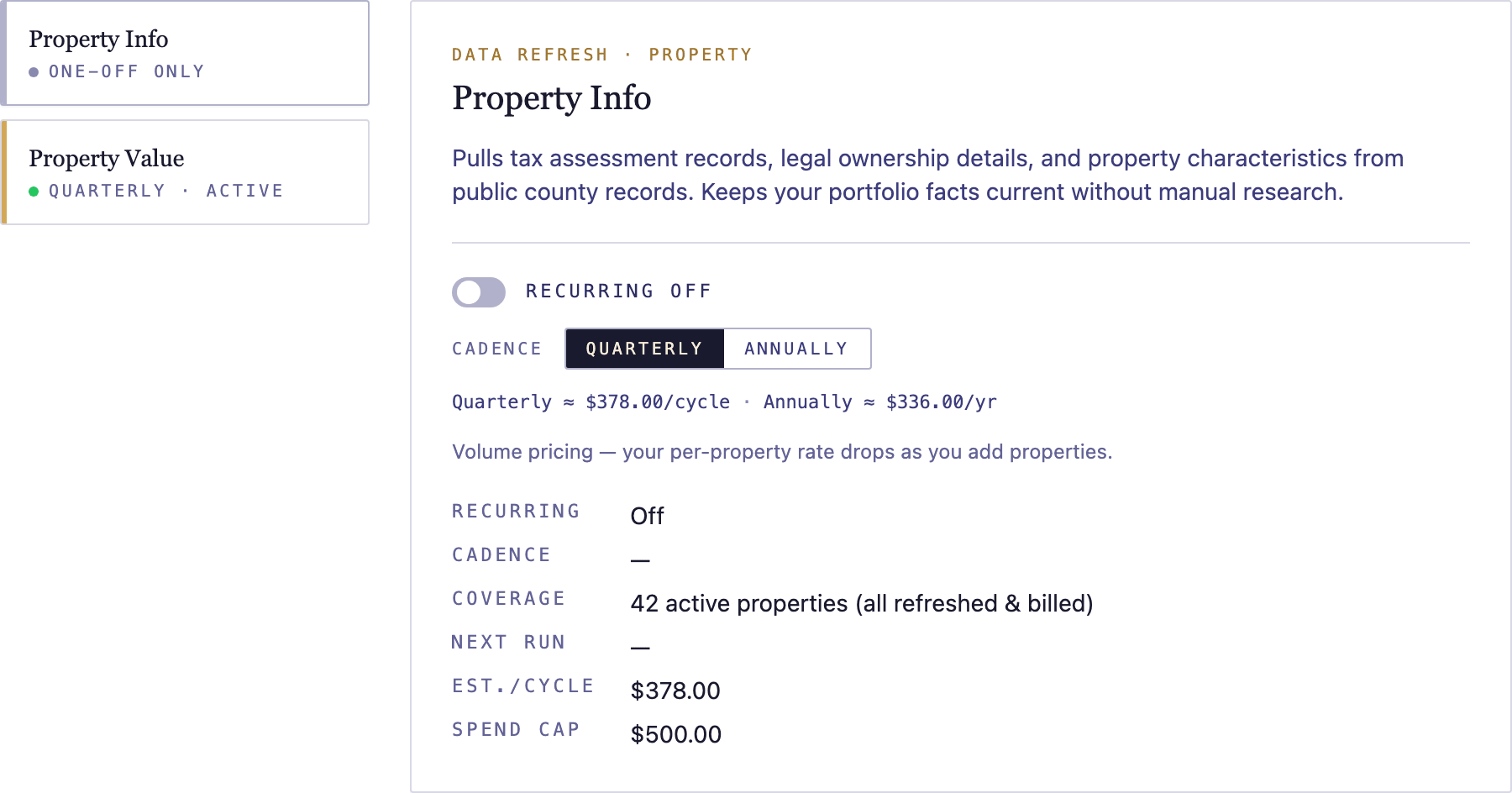
Pick a product
The Console lists available products — Property Info and Property Value. Click the product you want to set up recurring refreshes for.
Enable recurring refreshes
Toggle Enable recurring refreshes on. The cadence selector and a volume-pricing estimate appear showing the projected cost for your current book at the selected cadence.
Choose Quarterly or Annually
Select Quarterly or Annually from the cadence selector. The volume-pricing estimate updates to reflect the new cadence. Review the estimated per-cycle charge before continuing.
Confirm
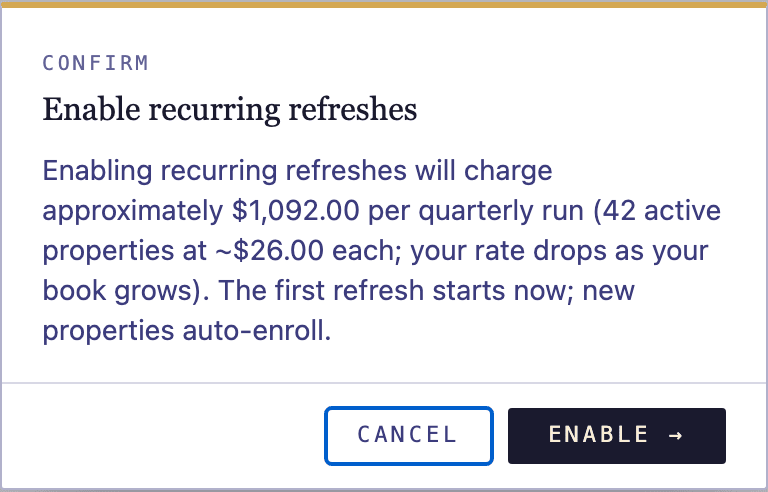
Click Confirm to activate recurring refreshes for the selected product. A confirmation dialog shows the estimated charge for the next cycle.
Manage settings
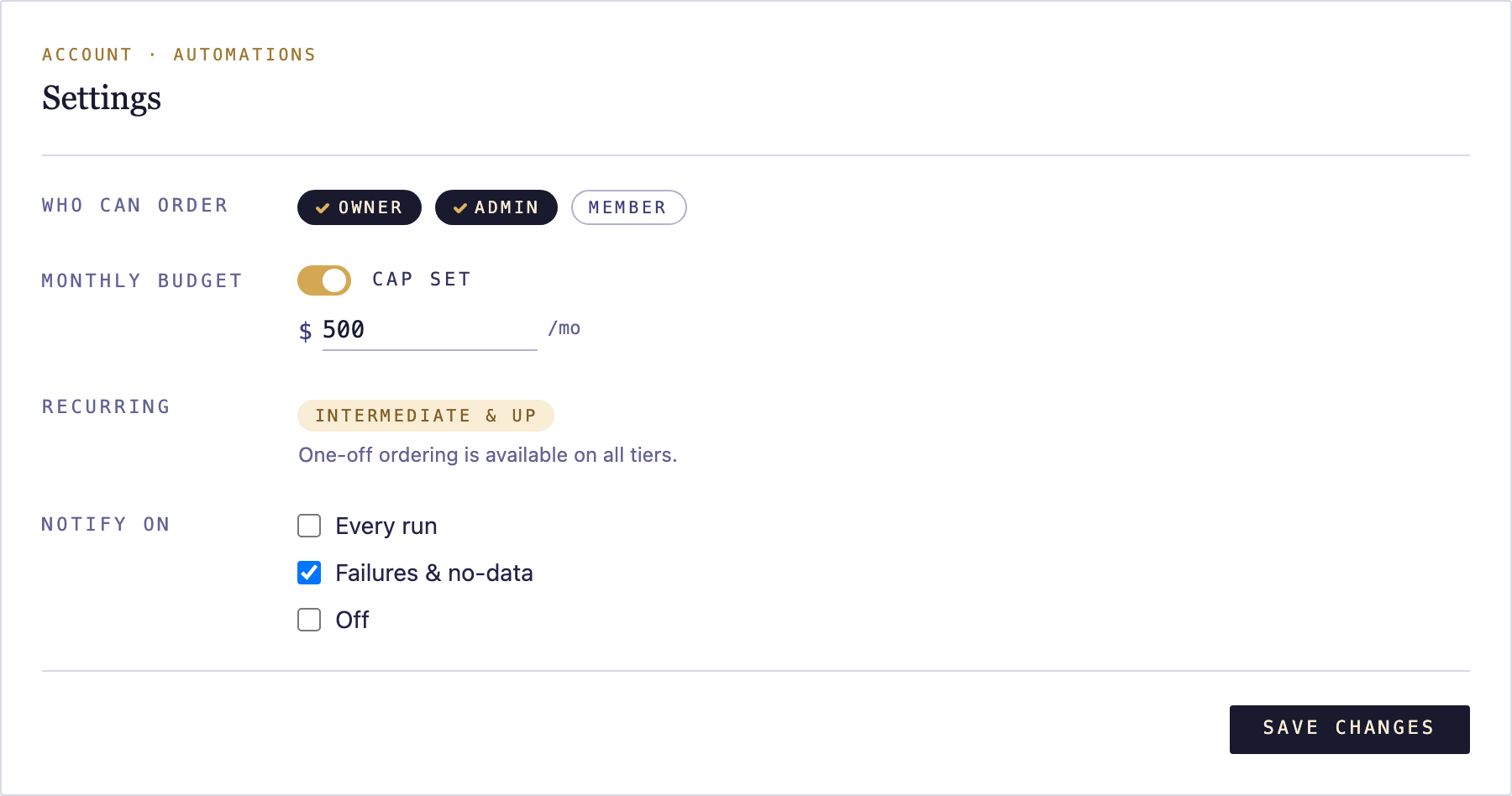
Open Settings from the Automations nav to configure who on your team can order reports, set a budget cap to limit per-cycle spend, and manage notifications.
Monitor runs in Activity
The Activity tab lists every recurring refresh run — when it ran, how many properties were updated, and the total charged. Use this to verify each cycle completed and to spot any properties that returned no data.
