Note workflows control the stages every note moves through — from intake to resolution — and the checklist items your team completes at each one. This guide covers what's specific to notes; for the editing mechanics, see workflow builder basics.
Open the Note workflow
In the top-right account menu, open Workflows, then make sure the Note tab is selected.
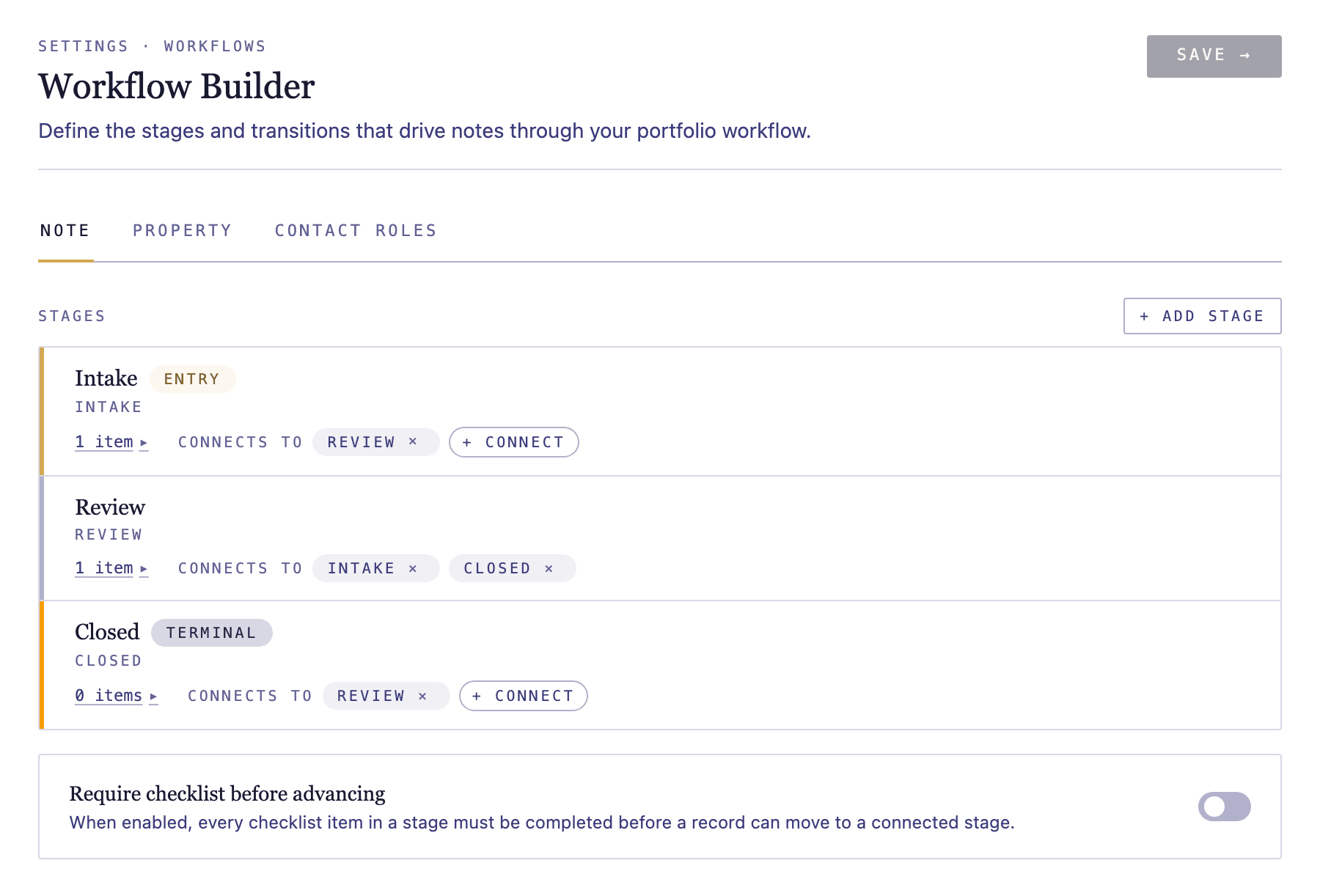
Shape the stages notes move through
Each note is always in exactly one stage. Arrange the stages to match your servicing process — for example intake, review, workout, and closed — and use entry and terminal stages to mark where notes begin and end. See workflow builder basics for how to add, connect, and reorder stages.
Set the checklist for each stage
Add the tasks tracked at each stage — title search, valuation, borrower outreach — and give time-sensitive items a due-date offset so they appear on your task list automatically.