Contact workflows are organized by role — attorneys, investors, vendors, and so on — so each kind of contact can have its own stages and checklists. This guide covers the per-role structure; for the editing mechanics, see workflow builder basics.
Open the Contact roles list
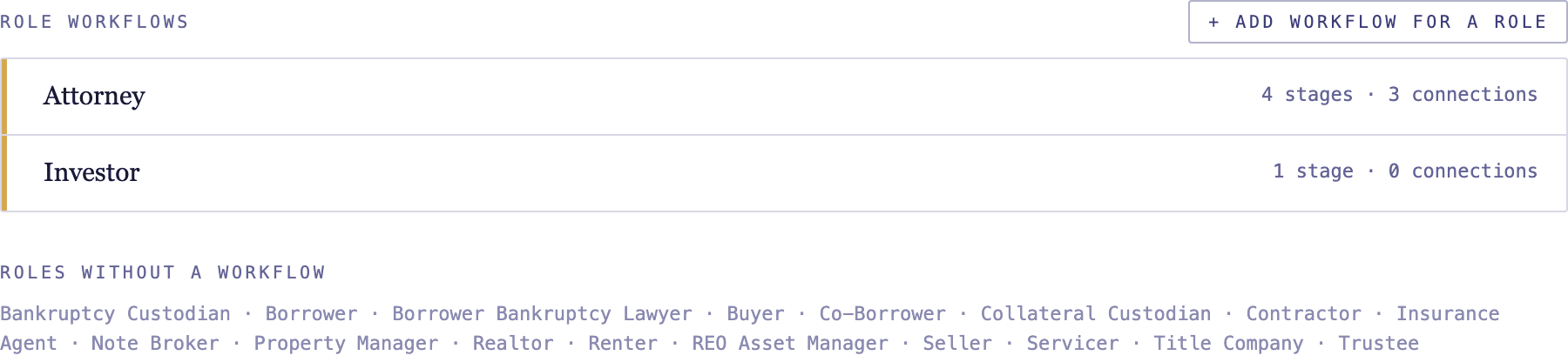
In the top-right account menu, open Workflows, then select the Contact roles tab. You'll see each role and the size of its workflow.
Open a role's workflow
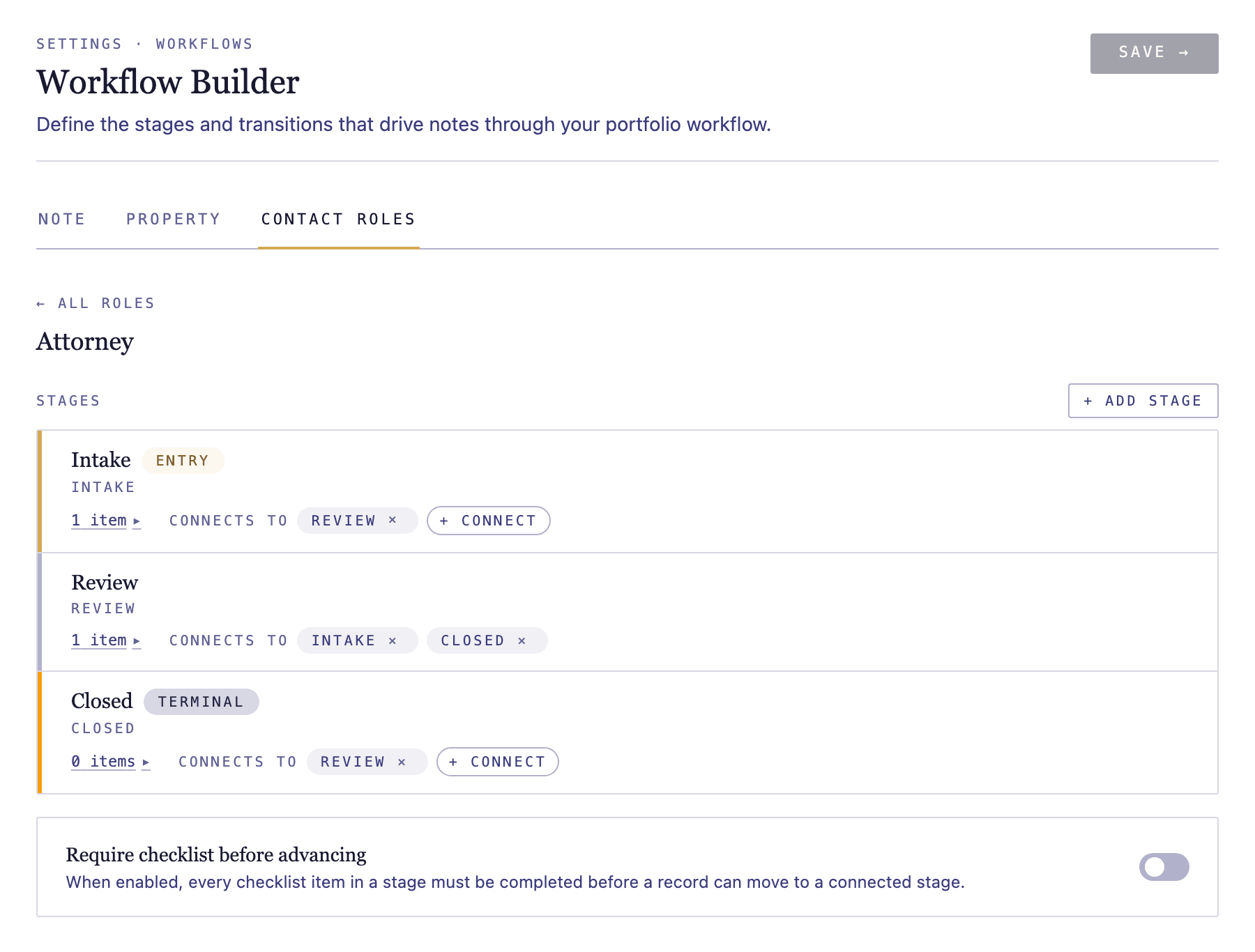
Click a role to open its workflow. Each role keeps an independent set of stages and checklists, so an attorney's process can differ entirely from an investor's.
Build the role's stages and checklists
Add the stages a contact in this role moves through and the checklist items for each. The mechanics are the same as other workflows — see workflow builder basics.